

Create Website in IIS (Internet Information Services) is the webserver for Windows systems created by Microsoft. This web server is most popular for hosting .net framework based websites. We can also host other programming languages websites by adding their modules and handlers.
This article will help you in creating a new website in using IIS manager on a Windows system.
Now you are ready to set domain name manually from your Windows Server IIS. You can follow these steps to add a domain:
Create Website in IIS
Step 1 – Start IIS
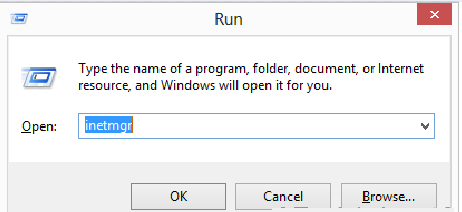
Use the windows navigation menu and open IIS on your system. Or you can directly open IIS by typing inetmgr in run window like below.
Step 2 – Add new Website
In the left side base expand the tree and select the Sites option. Then Right-click on Sites and select Add Website… option like the following image.

This will open a popup to input new website details. Input the following details in pop-up box.
- Site name: Name of website to be appeared in IIS listing.
- Application pool: Select an application pool or keep is the default to create new application pool same name as sitename.
- Physical path: Enter the location of website pages on system.
- Binding:
- Type: Select protocol to configure (eg: http or https)
- IP address: Select ip address from drop list to set dedicated ip for site or keep is the default to use shared ip.
- Port: Enter port on which site will be accessible for users.
- Host name: Enter you actual domain name you want to use.
- Start Website immediately: keep this box checked to start site.

Step 3 – Adding Website Alias
If you want to add website aliases like “www.tecadmin.net”. Open IIS, select your site and click on Bindings. You will get Site binding screen like below
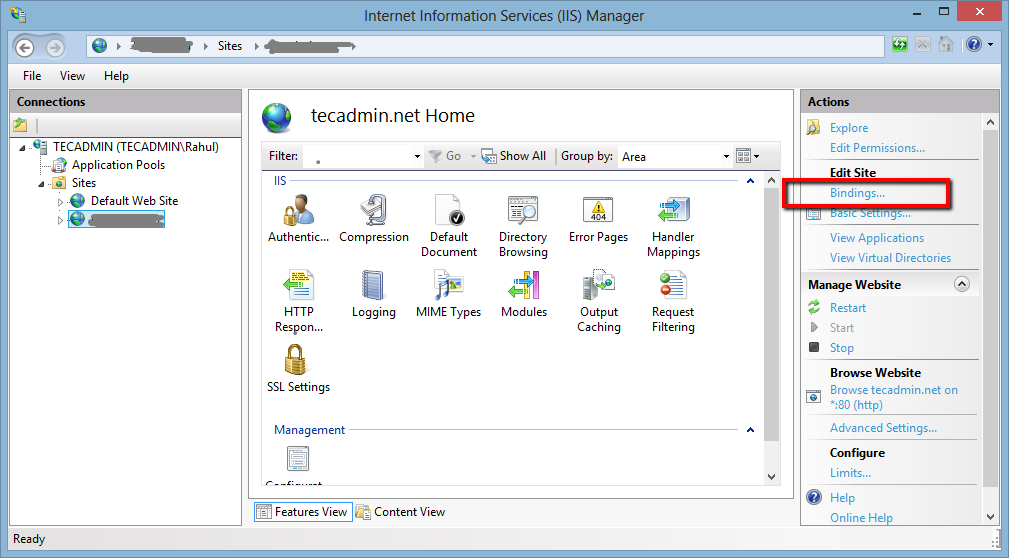
Click on Add button it will open site binding box.

Enter the hostname of your site aliases like www.tecadmin.net, demo.tecadmin.net or stage.tecadmin.net and input other details and click Ok.

Step 4 – Verify Configuration
To verify configuration you can simply access the site in a web browser. If your domain is not pointed to this server do host file entry and check.
 Mr Parker